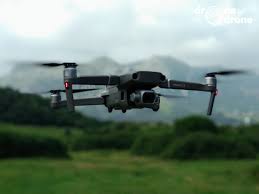
Every battery in your DJI Mavic 2 Pro Drone is the power core for your aerial exploration. This flagship foldable drone, equipped with a Hasselblad camera, boasts a theoretical 31-minute flight time and an intelligent battery management system, making it a trusted choice for countless aerial photographers. However, watching your battery rapidly deplete in the cold wind, or being forced to stop a crucial shot due to battery issues, can be enough to ruin an entire day’s creative enthusiasm.
For DJI Mavic 2 Pro Drone users, the battery is never just an accessory; it’s the cornerstone of flight safety and the guarantee of creative freedom. A high-performance battery allows you to effortlessly capture the golden moments of light and shadow; while a poorly functioning battery can ruin an entire shooting plan. This article will provide a comprehensive understanding of the characteristics of different battery types, master the core techniques for extending battery life, and develop the optimal battery solution for different working scenarios.
I. Understanding Your Energy Core: Battery Types and Smart Buying
The DJI Mavic 2 Pro Drone uses a 3850mAh intelligent flight battery. Its built-in Battery Management System (BMS) monitors cell voltage, temperature, and discharge status in real time during flight. However, there’s more than one type of battery available on the market. Understanding the characteristics of different types is the first step to making an informed purchase.
Standard capacity batteries are the preferred choice for most users’ daily flights. They are moderately lightweight, perfectly balanced with the drone’s overall weight, and provide approximately 31 minutes of flight time. Their advantage lies in stability and reliability—the intelligent battery management system automatically balances the voltage of each cell, preventing overcharging and over-discharging. This is the safest choice for occasional photographers and beginners.
High-capacity batteries increase energy density to 4500-5000mAh, theoretically providing 35-40 minutes of flight time. These batteries are particularly suitable for commercial shooting and surveying missions requiring extended flight time. However, it’s important to note that increased capacity often comes with increased weight, which may affect the drone’s maneuverability, especially in scenarios requiring sudden stops or high-speed turns. When purchasing batteries, be sure to confirm that they have passed safety certifications such as UL, CE, and RoHS. Inferior high-capacity batteries may have inaccurate power display or even safety hazards.
Batteries suitable for long-haul travel are optimized for air transport requirements. According to the International Air Transport Association (IATA), there are strict restrictions on carrying lithium batteries on board. These batteries have an automatic discharge capacity to 50%, meeting aviation safety standards and effectively preventing cell damage caused by long-term storage. If you frequently need to take your DJI Mavic 2 Pro Drone on business trips or international filming trips, these batteries will save you a lot of trouble at security checks.
When purchasing batteries, the most critical indicator is battery health. By connecting the drone to the corresponding app, you can view the cycle count and voltage difference between individual cells on the battery information page. A healthy battery should have a cell voltage difference of less than 0.1V and a cycle count within a reasonable range. Remember, battery performance will naturally degrade with use; understanding its current condition is more important than pursuing so-called “brand new” batteries.
Want to know how many batteries to prepare for different work scenarios? Please read the supplementary article
→“Photographers, Surveyors, Rescuers: Battery Configuration Solutions for Three Major Scenarios.”
II. Extending Battery Life: Essential Maintenance Details
The lifespan of a DJI Mavic 2 Pro Drone battery largely depends on the user. Lithium batteries have their own physical characteristics; following scientific usage and storage methods can extend their flight life.
Proper storage is the first step to extending lifespan. If you don’t plan to fly for more than 10 days, be sure to discharge the battery to 40%-65% charge—that is, when the third indicator light is on or flashing. The battery has an automatic discharge function; after being idle for more than 10 days, it will automatically reduce the charge to below 60%, a process that usually takes 3-4 days. However, if you want more precise control over the stored charge, you can manually discharge the battery to the appropriate range after each flight. Prolonged full-charge storage will cause excessive stress on the battery cells, accelerating aging; while prolonged low-charge storage may cause over-discharge, resulting in irreversible damage to the battery cells.
The storage environment is also crucial. Choose a cool, dry, and well-ventilated location, ideally between 22-28 degrees Celsius. Many users habitually seal their drones and batteries together in waterproof cases for long-term storage, which is actually a common misconception. A sealed environment hinders battery heat dissipation in case of malfunctions. If a cell malfunctions and produces gas, poor ventilation can pose a safety hazard.
Regular maintenance is crucial. Every three months or so, the battery should undergo a complete charge-discharge cycle to maintain cell activity. The specific procedure is: fully charge the battery, install it on the drone, and turn it on. Do not take off. Wait until the battery level drops to the last bar, then fully charge it again. Then turn the drone on again and discharge it to 65% before storing. This seemingly tedious process actually keeps the internal chemical substances of the battery active, preventing passivation.
Usage habits directly affect battery life. After each flight, always wait for the battery to cool to room temperature before recharging. Charging at high temperatures will cause additional damage to the battery. Similarly, avoid prolonged full-speed flight or flying against the wind during flight. This excessive current discharge will cause the battery to heat up rapidly, accelerating the increase in internal resistance and creating a vicious cycle. When the app warns of overheating battery, it’s best to reduce flight intensity to give the battery some breathing room.
Want to learn how to optimize battery performance in low temperatures? Please read the supplementary article
→“Flying in Low Temperatures Without Anxiety: Self-Heating Batteries and Winter Shooting Techniques”
III. Scenario-Based Applications: Battery Solutions for Different Tasks
Professional photographers, surveying engineers, rescue volunteers—the same DJI Mavic 2 Pro Drone plays vastly different roles in different hands. Battery solutions must also be tailored to the specific task.
Photography and Filmmaking: Time is Light
For photographers who rely on natural light, every minute of the golden hour is incredibly precious. The light in the hour after sunrise and before sunset is fleeting; frequent landings to change batteries during this time could mean missing the best shooting opportunity. Therefore, photographers typically need to carry at least 3-4 batteries and use a charging assistant.
The charging assistant can charge multiple batteries sequentially, prioritizing the battery with the highest charge, ensuring you always have a usable backup power source. In actual shooting, a “fly-cool-charge” rotation rhythm can be adopted: when one battery is depleted, immediately switch to the second battery for flight, while allowing the first battery to cool down fully before connecting it to the charger. This ensures that there is always a battery ready to use during shooting breaks.
Furthermore, it is crucial to rationally plan flight routes using the battery’s 30%, 20%, and 15% charge warning thresholds. When the battery level approaches 20%, the drone should be moved closer to the return point to avoid forced landings due to calculation errors.
Surveying and Inspection: Stability is Paramount
In professional fields such as surveying, building monitoring, or power line inspection, the integrity and continuity of data are more important than the duration of a single flight. A complete flight mission may last more than 20 minutes. If the drone has to return due to insufficient power mid-flight, the entire surveyed area may need to be re-flyed, and data stitching will become problematic.
Therefore, surveyors prioritize battery performance stability over absolute capacity. They typically choose rigorously certified standard batteries or high-capacity batteries and carefully check the battery health and cell voltage before each mission. When performing large-area surveying missions, they carry a sufficient number of batteries for rotation, ensuring the drone is always ready to take off.
It’s worth noting that surveying missions are often conducted in remote areas, making car chargers or portable power banks standard equipment. Car chargers can directly charge batteries using the car’s power supply, fully charging a single battery in about 1 hour and 30 minutes. This can be done during transit, greatly improving field efficiency.
What are the aviation regulations for carrying batteries on long-distance trips? Please read the supplementary article
→“Traveling with a Drone: A Complete Guide to Air Transport and Off-site Charging”
IV. Safety First: Signals You Must Be Aware Of
Regardless of battery type or usage scenario, safety is always paramount. A healthy battery will communicate with you through an app and indicator lights, and you need to learn to understand these signals.
Visual inspection is the most intuitive way to judge. If you find that the bottom of the battery is bulging or that the casing is damaged or deformed, you should stop using it immediately. Battery bulging is usually caused by internal gas production, which may be the result of excessive cycling, over-discharge, impact, or water ingress. While some minor bulging may recover after the battery cools down, it is not recommended to continue using batteries with bulging for safety reasons.
App alarm messages should not be ignored. When the battery management system detects excessive cell voltage differences, abnormal temperatures, or short-circuit risks, it will display corresponding warnings in the app. For example, if a cell is detected as damaged, the app will provide a prompt; if the temperature is too low or too high during charging, the corresponding indicator light will flash at a specific frequency. In these situations, be sure to follow the prompts and do not force charging or take off.
Remember charging safety. Always choose a well-ventilated environment and keep away from flammable materials when charging. If you smell an unusual odor, hear unusual noises, or feel the battery getting abnormally hot during charging, immediately disconnect the power and handle it properly. Do not attempt to charge a severely bulging or damaged battery—this could lead to a more serious safety accident.
The DJI Mavic 2 Pro Drone battery, seemingly just an accessory to power the drone, is actually a bridge connecting you to the sky. A well-maintained battery can accompany you to witness countless sunsets and record countless wonderful moments. By understanding battery types, mastering maintenance techniques, and optimizing scenario plans, you’re not only extending the life of a battery, but also adding assurance to every flight you take.
Choose the right battery for your needs and treat it properly; it will reward you with stable performance and a long lifespan. Before your next takeoff, take a few extra minutes to check the battery status; this small habit may be your most reliable insurance.
DJI Mavic 2 Pro Drone – Battery Mavic-2-Pro 3850mAh
Buy DJI Drone Battery online on Batteriesglobal.co.uk United Kingdom | Large selection of DJI Batteries | Enjoy best prices | Order now!
Our brand-new Drone Battery compatible with DJI Mavic-2-Pro is engineered to deliver long-lasting and stable performance. It is designed to meet rigorous standards, ensuring full compatibility with devices such as the DJI Mavic 2 Pro Drone. This battery comes with a one-year warranty and has passed essential safety certifications including CE, RoHS, and ISO9001. Choose our DJI Mavic-2-Pro battery for a power solution that combines quality, safety, and convenience. Invest in authentic performance and keep your DJI Mavic 2 Pro Drone running like new.