Imagine this: You’re sitting in a coffee shop, ready to finish an important project on your Jumper laptop. You open the lid, press the power button, and… nothing happens. You plug in the charger, wait a few minutes, and the screen finally flickers to life — only to show a battery icon at 3%. You look around for an outlet, but every single one is already taken. Sound familiar?
This is the exact moment when thousands of Jumper laptop owners start typing the same frustrating search query into Google: “What is Jumper UTL-3078180-2S?” The screen says “Replace Battery Soon,” but your laptop isn’t telling you what that cryptic string of characters actually means. Is it a secret code? A part number only technicians understand? Or just some random letters someone typed on a factory label?
The confusion is real. You’re not alone if you’ve stared at that number and wondered whether you need a new computer entirely. But here’s the truth hiding behind that intimidating combination of letters and digits—and once you understand what it actually is, you’ll save money, time, and a whole lot of frustration.
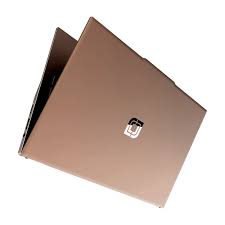
What Exactly Is the Jumper UTL-3078180-2S? (In Plain English)
Let me cut through the confusion with one simple sentence: The Jumper UTL-3078180-2S is the rechargeable lithium battery inside your Jumper laptop that keeps it running when you’re not plugged into a wall outlet.
Think of it like this: Your laptop has a “heart” that stores energy so you can work anywhere without being chained to a power cord. That heart has a specific name that manufacturers use to identify it — just like every car has a specific model of engine. UTL-3078180-2S is simply the official part number for that battery. It’s a 7.4-volt, 5000mAh lithium-polymer (Li-Polymer) battery that’s designed to power certain Jumper laptop models.
The number itself actually tells you something about the physical battery: “3078180” usually refers to its dimensions in millimeters — roughly 30mm thick, 78mm wide, and 180mm long. The “-2S” indicates the internal configuration: two cells connected in series (“2S” means two in a row), which is why the voltage is 7.4V (3.7V × 2). Knowing what it looks like helps you find the right replacement when the original starts wearing out.
So when you search for “Jumper UTL-3078180-2S,” you’re basically asking, “What battery fits in my laptop and where can I get a new one before my current battery dies completely?”
Why Understanding This Matters More Than You Think
Here’s where most people get tripped up — and where understanding this product could save you from a costly mistake.
The problem: All laptop batteries are not created equal. They come in different sizes, voltages, connector types, and power capacities. If you buy the wrong one — even one that looks similar — you could damage your laptop or, worse, create a fire hazard. Lithium batteries that don’t match their intended device can overheat, swell dangerously, or simply refuse to charge at all.
The solution: Once you recognize that UTL-3078180-2S is the official part number for your specific battery, searching becomes simple. You go from being confused to being confident. Instead of guessing, you know exactly what to look for: a 7.4V Li-Polymer battery with 5000mAh capacity and that specific code.
But here’s the part that confuses even experienced laptop users: This same battery model is used in multiple different computers from different brands. Surprising, right? That’s because laptop manufacturers often source standard battery designs from the same factories. So the UTL-3078180-2S battery doesn’t just power Jumper laptops — it also appears in models like the Irbis NB154, NB245, and NB245 v.Black series, the Teclast F15S, and even certain Haier laptops.
This is actually great news for you. It means the replacement market is larger, prices are more competitive, and you have more options. But it also means you MUST verify compatibility before purchasing — not every device with similar numbers will necessarily accept the exact same connector configuration. That 10-pin, 7-wire interface is the real key to matching.
Understanding this one detail — that the battery model can span multiple brands — will save you from buying something that looks right but doesn’t actually work.
Where You‘ll Actually Use This Knowledge
Okay, so you know what the battery is. But when does this information actually become useful? Let me walk you through the real-world scenarios where knowing about the UTL-3078180-2S will save your day.
Scenario 1: Your laptop won’t hold a charge anymore. This is the most common situation. You take your computer off the charger, and 20 minutes later, you’re scrambling for an outlet. Or worse, the percentage jumps from 40% to 5% in seconds. These are classic signs of a dying battery — typically after about 300 to 500 charge cycles (roughly 2 to 4 years of normal use). When this happens, you don’t need a new laptop, you just need a new UTL-3078180-2S.
Scenario 2: You’re traveling and need backup power. Frequent travelers know this pain: long flights, extended layovers, or working from a remote cabin with spotty electricity. Having a spare UTL-3078180-2S in your bag means you can swap batteries and double your working hours without waiting to recharge. It’s like carrying an extra fuel tank for your computer.
Scenario 3: You bought a used Jumper laptop. Second-hand devices often come with original batteries that have already seen years of use. The previous owner might not have taken great care of it, either. Checking the battery health and knowing exactly what replacement model to buy is essential for used laptop owners who want reliable performance.
Scenario 4: Your battery suddenly dies even when Windows says you have 30% left. This behavior — abrupt shutdowns with remaining charge — is a telltale sign that your battery’s internal cells can no longer deliver stable power. Old batteries can lose their ability to maintain steady voltage, which triggers shutdowns to protect your hardware. Don’t live with the anxiety of unexpected power failures — a replacement UTL-3078180-2S solves this instantly.
In all these situations, knowing the product name transforms you from a helpless laptop owner into someone who can fix the problem in five minutes with a simple online order.
The Most Common Misconceptions People Have
Now let me address the head-scratching confusions I‘ve seen people struggle with. These misconceptions pop up constantly in forums and customer reviews, and clearing them up will make you smarter than 90% of people searching for this battery.
Misconception 1: “This battery model only works with Jumper laptops.”
As I mentioned earlier, this simply isn’t true. The UTL-3078180-2S is a standard battery design used across multiple brands. You’ll find it in Irbis NB154 and NB245 laptops, as well as the Teclast F15S series. If you search online retailers, you’ll even see it listed for Haier U144S systems. Just because the part number has “Jumper” in the product title doesn’t mean that’s the only brand it supports. Understanding this could help you find better prices or more available inventory when buying a replacement.
Misconception 2: “Any battery that fits physically will work.”
This is a dangerous assumption. Even if a battery looks identical in size and has the same UTL-style part number, it could have a different voltage, connector pin configuration, or internal circuitry. The UTL-3078180-2S specifically uses a 10-pin connector with 7 active wires. Not every battery with “3078180” in the number will match exactly. Always verify the full part number, the pin arrangement, and the voltage (7.4V, not 11.1V or other common laptop voltages) before purchasing.
Misconception 3: “All replacement batteries are the same quality.”
This is where paying attention matters most. Quality varies dramatically between manufacturers. Cheap knockoffs might skip safety certifications or use lower-grade cells that degrade faster. Look for batteries with CE, RoHS, FCC, and UL certifications — these mean the product has passed international safety standards. A 12-month warranty is also essential protection. The frustration of buying a cheap battery only to have it fail within weeks is far more expensive than spending a few extra dollars on a quality replacement.
Misconception 4: “The battery should work perfectly right out of the box.”
Not exactly. New lithium batteries typically arrive in a discharged state for safety during shipping — about 40% charge is ideal for storage to prevent degradation. Don‘t panic when it shows low power initially. You’ll need to fully charge it before first use, and performing 5 partial discharge and recharge cycles helps condition the battery for optimal long-term performance.
Misconception 5: “Letting the battery drain completely before charging is good for it.”
Actually, the opposite is true for modern lithium-polymer batteries. The UTL-3078180-2S has no “memory effect” — you don‘t need to fully discharge it to maintain capacity. In fact, frequent deep discharges (running it down to 0%) actually reduces the battery’s lifespan. It’s healthier to recharge when the battery level drops below 20-30%.
Misconception 6: “If one brand sells a 6200mAh version of this battery, it must be better.”
Be cautious here. The official specification for the UTL-3078180-2S is 5000mAh (37Wh). If you see listings offering a higher capacity like 6200mAh, that’s technically a different part number — but some third-party manufacturers do offer “upgraded capacity” versions that claim to be compatible while providing more runtime. These can work fine, but may be physically thicker or use different cell configurations. Read reviews carefully and ensure the seller specifies that it will fit your specific laptop model and uses the exact same 10-pin/7-wire connector.
Misconception 7: “Once my battery starts dying, there’s nothing I can do to extend its life.”
While you can’t reverse aging, you can maximize what you have. The UTL-3078180-2S typically has a shelf life of 4 to 5 years and naturally self-discharges about 1% per day. To preserve remaining health: avoid exposing the laptop to high temperatures (the single biggest enemy of lithium batteries), don‘t leave it plugged in 24/7 if charging protection is limited, and store it at around 40% charge if you won’t use it for extended periods.
Here‘s what you really need to remember about the Jumper UTL-3078180-2S:
It is a 7.4V, 5000mAh lithium-polymer battery with a 10-pin/7-wire connector, physically sized at approximately 30×78×180mm, used across multiple Jumper laptop models and other brands like Irbis, Teclast, and Haier.
When your Jumper laptop won’t hold a charge and you see that battery warning, your computer is not broken — you just need a new UTL-3078180-2S. These batteries can be purchased through online retailers, major e-commerce platforms like Amazon and eBay, and specialized battery stores. Expect to pay anywhere from €30 to €70 (35to35to80 USD) depending on the seller, capacity, and included warranty. Prioritize sellers offering CE/FCC/RoHS certification, genuine safety protections, and at least 12 months of warranty coverage.
One final word of caution: User reviews on the UTL-3078180-2S are mixed. Some customers report the battery performs flawlessly for years; others complain of poor longevity within weeks. This inconsistency usually comes down to where you buy it and which cells the manufacturer used. Stick to reputable sellers with clear return policies and verified customer feedback. Grade-A battery cells (like Panasonic) are worth the premium — they last significantly longer.
The next time you see “Replace Battery Soon” on your screen, you won‘t panic. You’ll know exactly what product to search for: Jumper UTL-3078180-2S replacement battery. And that knowledge alone makes you a smarter, more confident laptop owner.
Jumper UTL-3078180-2S – Battery UTL-3078180-2S 5000mAh
Buy Jumper Laptop Battery online on Batteriesglobal.co.uk United Kingdom | Large selection of Jumper Batteries | Enjoy best prices | Order now!
Our brand-new Laptop Battery compatible with Jumper UTL-3078180-2S is engineered to deliver long-lasting and stable performance. It is designed to meet rigorous standards, ensuring full compatibility with devices such as the Jumper UTL-3078180-2S. This battery comes with a one-year warranty and has passed essential safety certifications including CE, RoHS, and ISO9001. Choose our Jumper UTL-3078180-2S battery for a power solution that combines quality, safety, and convenience. Invest in authentic performance and keep your Jumper UTL-3078180-2S running like new.