The Asus ROG Zephyrus GX703 is a premium gaming laptop designed for professionals, gamers, and creators who demand serious performance. With powerful GPUs, fast processors, and a large 17-inch display, it can easily replace a desktop workstation.
However, one common concern among users is Laptop Battery performance. Heavy workloads, gaming sessions, and high refresh-rate displays can drain power quickly. Over time, the Asus ROG Zephyrus GX703 Laptop Battery may also begin to lose capacity.
This guide explains how the battery works, what problems users typically encounter, and how to fix them. You will also learn practical ways to extend battery lifespan and how to choose the right replacement laptop battery for Asus ROG Zephyrus GX703.
Whether you are an individual user or a business buyer managing multiple laptops, these tips will help you maintain stable battery performance.
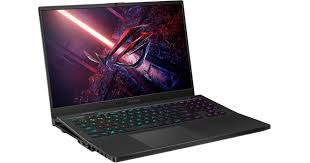
Understanding the Asus ROG Zephyrus GX703 Hardware and Power Design
The Asus ROG Zephyrus GX703 is part of the high-end ROG lineup built for demanding applications such as AAA gaming, video editing, and 3D rendering.
Typical configurations include:
- Intel Core i7 or Intel Core i9 processors
- NVIDIA GeForce RTX 3070 or RTX 3080 GPU
- 17.3-inch QHD display with 165Hz refresh rate
- Up to 32GB RAM
- High-speed PCIe NVMe SSD
To support this level of performance, the laptop uses a high-capacity 90Wh Laptop Battery. This allows the device to operate without a power adapter for several hours during moderate workloads.
Average battery life varies depending on usage:
Light office tasks: around 5–7 hours
Video streaming: around 4–6 hours
Gaming or GPU-heavy workloads: 1–2 hours
This is typical for high-performance gaming laptops.
Why Laptop Battery Health Matters
The Laptop Battery is essential for mobility and productivity. When battery performance declines, the laptop becomes less reliable away from a power outlet.
Lithium-ion batteries normally last 300 to 500 charge cycles before noticeable degradation occurs.
When the Asus ROG Zephyrus GX703 Laptop Battery capacity decreases, users may experience:
- Rapid battery drain
- Laptop shutting down unexpectedly
- Charging stopping at certain percentages
- Battery percentage reading incorrectly
Recognizing these signs early helps prevent workflow interruptions.
Common Asus ROG Zephyrus GX703 Laptop Battery Problems
Many users report similar issues after long-term use of the Asus ROG Zephyrus GX703 Laptop Battery.
Rapid Battery Drain During Use
Gaming laptops consume significant power. When both CPU and GPU operate at maximum performance, battery drain increases dramatically.
High brightness settings and background software can also accelerate power consumption.
Reducing unnecessary load can noticeably extend battery runtime.
Laptop Battery Not Charging Properly
Some users notice that their Laptop Battery is plugged in but not charging. This can be caused by several factors:
- Outdated BIOS firmware
- Faulty charging adapters
- Battery wear or aging
- Incorrect power management settings
Updating drivers and firmware often resolves these issues.
Incorrect Battery Percentage Readings
Battery calibration errors can cause inaccurate readings. For example, the laptop may show 30% battery but suddenly shut down.
A simple Laptop Battery calibration process can fix this issue.
How to Improve Asus ROG Zephyrus GX703 Laptop Battery Life
Improving battery life does not always require replacing the battery. Several simple adjustments can help extend runtime.
Adjust Windows Power Settings
Windows includes built-in power management options.
Steps:
- Open Settings
- Go to System → Power & Battery
- Select Balanced Mode or Power Saver
Lower power modes reduce CPU and GPU energy consumption.
Reduce Display Brightness
The large 17.3-inch screen consumes significant energy.
Reducing brightness from 100% to about 60–70% can increase battery life by up to 30% during light tasks.
Disable Unnecessary Startup Applications
Many programs launch automatically when Windows starts.
Steps to manage them:
- Open Task Manager
- Select the Startup tab
- Disable non-essential applications
This reduces background power consumption.
Use Asus Armoury Crate Performance Profiles
The Armoury Crate software allows users to switch performance modes.
Silent Mode – best battery efficiency
Performance Mode – balanced performance
Turbo Mode – maximum power usage
Choosing the right profile helps optimize Asus ROG Zephyrus GX703 Laptop Battery life.
When Should You Replace the Laptop Battery?
Even with proper maintenance, every Laptop Battery eventually wears out.
You may need a replacement laptop battery for Asus ROG Zephyrus GX703 if you notice:
Battery capacity below 70% of original capacity
More than 500 charge cycles
Laptop only works while plugged in
Battery overheating or swelling
Replacing the battery restores portability and improves reliability.
For businesses managing multiple laptops, proactive battery replacement can prevent productivity disruptions.
How to Choose a Reliable Replacement Laptop Battery
Choosing the correct Laptop Battery for Asus ROG Zephyrus GX703 is important for both performance and safety.
Check Battery Capacity
The original battery is approximately 90Wh. Replacement batteries with similar capacity provide the best compatibility.
Lower capacity batteries may reduce runtime.
Verify Voltage Compatibility
Voltage must match the original specifications. Incorrect voltage may damage internal components.
Always check the battery model number before purchasing.
Look for Safety Certifications
Reliable replacement laptop batteries should include certifications such as:
CE certification
RoHS compliance
FCC safety approval
These standards indicate tested safety and quality.
Evaluate Supplier Reputation
For B2B buyers or resellers, working with reliable battery suppliers is critical. Look for manufacturers offering:
Stable supply chains
Warranty support
Quality control testing
A trusted supplier ensures consistent battery performance.
Original vs Replacement Laptop Battery: Which One is Better?
Many users wonder whether to choose an original battery or a compatible replacement.
Original batteries:
- Manufactured by the laptop brand
- Higher price
- Guaranteed compatibility
High-quality replacement batteries:
- More affordable
- Comparable capacity and performance
- Often include warranties
For many users and distributors, a high-quality replacement Asus ROG Zephyrus GX703 Laptop Battery offers excellent value.
Best Practices for Long-Term Laptop Battery Maintenance
Good battery habits can significantly extend lifespan.
Avoid keeping the laptop plugged in constantly. Try maintaining battery levels between 20% and 80%.
Avoid high temperatures. Lithium-ion batteries perform best between 10°C and 35°C.
Perform a Laptop Battery calibration every two to three months.
Keep BIOS and system drivers updated to improve power management.
Following these practices can extend battery lifespan by 20–30%.
Comparing Battery Life with Other Gaming Laptops
Battery performance in gaming laptops varies depending on hardware design.
Typical results under light workloads:
Asus ROG Zephyrus GX703
Approximately 5–7 hours
Razer Blade 17
Around 4–6 hours
MSI GE76 Raider
Around 3–5 hours
This shows that the Asus ROG Zephyrus GX703 Laptop Battery performs competitively within the high-performance gaming category.
Important Safety Tips for Laptop Battery Replacement
Handling a Laptop Battery requires caution.
Never use batteries that appear swollen or damaged.
Always power off the laptop before installing a new battery.
Use proper tools and follow manufacturer guidelines.
If you are unsure about installation, professional service is recommended.
Proper handling ensures both device safety and battery longevity.
The Asus ROG Zephyrus GX703 is a powerful gaming laptop designed for demanding tasks. Its high-performance hardware delivers exceptional computing power, but the Laptop Battery plays a key role in portability and usability.
Understanding common battery issues, optimizing power settings, and following good maintenance practices can significantly extend battery lifespan.
When performance declines, selecting a reliable replacement laptop battery for Asus ROG Zephyrus GX703 ensures stable operation and restores mobility.
Whether you are a gamer, professional user, or bulk buyer, maintaining battery health will help maximize the value of this premium laptop.
Frequently Asked Questions About Asus ROG Zephyrus GX703 Laptop Battery
How long does the Asus ROG Zephyrus GX703 Laptop Battery last?
Under light workloads such as web browsing or office tasks, the Asus ROG Zephyrus GX703 Laptop Battery can last about 5–7 hours. During gaming or heavy GPU workloads, battery life usually drops to 1–2 hours.
Why is my Asus ROG Zephyrus GX703 battery draining so fast?
Fast battery drain is common when running demanding programs or games. High screen brightness, background applications, and turbo performance mode can also reduce Laptop Battery life.
How many charge cycles does the GX703 Laptop Battery support?
Most lithium-ion batteries, including the Asus ROG Zephyrus GX703 Laptop Battery, support 300–500 charge cycles before capacity begins to decline significantly.
Can I replace the Asus ROG Zephyrus GX703 Laptop Battery myself?
Yes, many users can replace the Laptop Battery themselves using basic tools. However, if you are unfamiliar with laptop hardware, professional installation is recommended to avoid damage.
Is it safe to use a replacement laptop battery instead of the original?
A high-quality replacement laptop battery for Asus ROG Zephyrus GX703 is generally safe if it matches the original specifications and includes proper safety certifications.
Why is my laptop plugged in but not charging?
This issue may be caused by battery aging, faulty adapters, or BIOS power management settings. Updating drivers and performing a Laptop Battery calibration often resolves the problem.
How can I extend my Asus ROG Zephyrus GX703 Laptop Battery lifespan?
Maintain battery levels between 20% and 80%, avoid extreme heat, reduce screen brightness, and disable unnecessary background applications.
What capacity battery does the Asus ROG Zephyrus GX703 use?
Most models use a 90Wh Laptop Battery, designed to support high-performance hardware while maintaining reasonable portability.