You are in a coffee shop, enjoying a quiet afternoon, when suddenly your laptop screen begins to flicker. It seems like a display issue—perhaps the refresh rate is wrong, or a driver has failed. You close your browser, restart the machine, and it seems fine for a moment. But then it happens again—a brief, maddening flicker. In many cases, the culprit is not the screen itself, but a silent, easily overlooked component that powers the entire machine. The true source of many flickering, stalling, and unresponsive episodes is a failing battery. In fact, numerous user reports across HP community forums confirm that screen flickering on many Envy series laptops, when running solely on battery power, was completely resolved after a replacement of the battery unit. This blog will demonstrate how a degraded power source can mimic serious hardware failures, and how correctly caring for the heart of your HP ENVY 14-EB M08254-1C1 can eliminate these frustrating issues while extending its usable life.
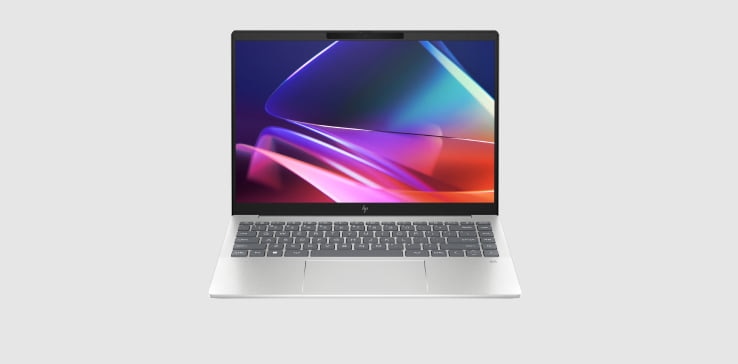
The Hidden Connection: Why a Bad Battery Mimics a Broken Screen
When a lithium-ion battery deteriorates, it no longer delivers a stable voltage. Instead of a clean 15.4V current, the battery outputs fluctuating, inconsistent power that can confuse internal power regulation systems. This erratic delivery often causes rapid, unexplained changes in screen brightness or brief backlight interruptions—symptoms identical to those of a faulty graphics driver or loose display cable. Many users, following the most common troubleshooting advice, update their Intel or NVIDIA graphics drivers, perform Windows rollbacks, or even reseat the internal display connector, only to find the flicker returns. In several documented cases within HP support threads, users reported spending weeks attempting complex fixes, only to discover after replacing a swollen or aged battery that the flicker disappeared completely. The lesson is critical: when the HP ENVY 14-EB M08254-1C1 begins to misbehave, suspect the power source before disassembling the screen assembly. It could save you hours of unnecessary repairs and the expense of replacing functional hardware.
The Silent Reference: Understanding SC04XL and Its Vital Capacity
To resolve these issues, it is essential to understand precisely what powers your machine. The HP ENVY 14-EB M08254-1C1 utilizes a specific lithium-ion polymer battery model: SC04XL. This is a 4-cell pack delivering a nominal voltage of 15.4V and a capacity of 63.32 watt-hours. When a battery of this type begins to fail, its internal resistance rises, and its ability to maintain steady voltage under dynamic loads diminishes. The root cause of flickering is a failure of the battery to meet the transient power demands of the processor and display backlight, causing the system to enter a power-saving state erroneously. Replacing it with a compatible unit that matches capacity, voltage, and battery type (Li-ion) is critical, as an incompatible battery can trigger additional power management errors. For users experiencing intermittent shutdowns or flickering that worsens when unplugged, the battery’s health status should be the first diagnostic step. It is the only way to ensure that the HP ENVY 14-EB M08254-1C1 receives the clean, stable power necessary for full functionality.
Comprehensive Diagnostics: Running HP Battery Check Before Spending Money
Before purchasing a replacement, perform a thorough assessment. Within the Windows environment, the simplest diagnostic tool is HP Support Assistant, which includes a built-in Battery Check utility. This tool tests the battery’s design capacity against its actual current charge capacity, providing a clear report of its health. Access it by typing “HP Support Assistant” into the taskbar search box, launching the application, then navigating to the “Troubleshooting and fixes” section and selecting “HP Battery Check.” If the report indicates that the battery has significantly diminished capacity—often below 60% of its design specification after a few years of use—replacement is strongly recommended. Additionally, a physical inspection may reveal a swollen or bulging battery pack. Immediate replacement is essential if any warping of the case or a protruding touchpad is noticed, as a swollen battery is a fire hazard and will assuredly cause intermittent power delivery issues. Performing these checks confirms whether the HP ENVY 14-EB M08254-1C1 requires a new power source or if the flickering originates elsewhere, such as an outdated Intel Graphics Command Center power plan setting.
Step-by-Step Recovery: From Black Screen to Full Functionality
If your screen is completely black and the device fails to respond to the power button, do not panic. A failed battery can cause a complete system lock, even when connected to an external power source. The first step is a hard reset: disconnect the AC power adapter, remove the battery if it is user-accessible (though it is internal on this model, the hard reset process still applies), press and hold the power button for a full 15 to 30 seconds, then release. Reconnect only the AC adapter and attempt to power the system on. This drains residual electrical charge from capacitors and resets the embedded controller, often reviving a machine that appears lifeless. If the unit powers on only when connected to the mains, the battery has failed and requires replacement. When reinstalling a new SC04XL unit, ensure all connections are secure. After replacement, allow the system to charge the new unit fully while powered off to calibrate its internal state-of-charge metering. This process ensures that the HP ENVY 14-EB M08254-1C1 returns to delivering the consistent, flicker-free operation that it exhibited when originally unboxed.
Proactive Care: Extending the Life of Your New Power Source
Once a new battery is installed, certain usage habits will dramatically extend its lifespan. Lithium-ion packs degrade most quickly when held at 100% charge in high-temperature environments. Avoid leaving the laptop perpetually connected to the charger. Instead, if it is used primarily on a desk, enable HP’s adaptive battery optimizer in the BIOS (available on many models), which limits the maximum charge to approximately 80%. Additionally, avoid exposing the laptop to hot environments, as prolonged heat accelerates chemical degradation. For users travelling frequently, it is also wise to perform a full discharge and recharge cycle every few months to recalibrate the battery gauge. However, avoid deep discharges that drain the battery to zero, as this can increase internal resistance. With careful maintenance, a quality replacement unit for the HP ENVY 14-EB M08254-1C1 can easily surpass 500 charge cycles before any noticeable degradation appears, ensuring years of flicker-free performance and dependable runtime.
A Small Investment for a Dramatic Improvement
Flickering screens, unexpected shutdowns, and failure to power on are all symptoms that can drive a user to consider replacing an entire laptop prematurely. However, in the vast majority of cases for this particular model, the true cause is a failing, degraded battery that cannot sustain stable output. Instead of complex hardware diagnostics or risky motherboard repairs, the solution is straightforward: diagnose the battery’s health using HP’s built-in tools, inspect for physical swelling, and replace the SC04XL unit with a compatible, high-quality alternative that matches the original 63.32Wh capacity. The HP ENVY 14-EB M08254-1C1 is a premium ultrabook capable of years of service, but only when its most essential component—its heart—is in good condition. By understanding the direct link between power delivery and screen stability, you can save money, reduce electronic waste, and restore your laptop to the reliable, flicker-free experience it was designed to provide.
HP ENVY 14-EB M08254-1C1 M07392-005 HSTNN-IB9R – Battery SC04XL 3906mAh
Buy HP Laptop Battery online on Batteriesglobal.co.uk United Kingdom | Large selection of HP Batteries | Enjoy best prices | Order now!
Our brand-new Laptop Battery compatible with HP SC04XL is engineered to deliver long-lasting and stable performance. It is designed to meet rigorous standards, ensuring full compatibility with devices such as the HP ENVY 14-EB M08254-1C1 M07392-005 HSTNN-IB9R. This battery comes with a one-year warranty and has passed essential safety certifications including CE, RoHS, and ISO9001. Choose our HP SC04XL battery for a power solution that combines quality, safety, and convenience. Invest in authentic performance and keep your HP ENVY 14-EB M08254-1C1 M07392-005 HSTNN-IB9R running like new.