In the first article of this series, we looked at how the Google Pixel Tablet’s 7020mAh battery performs in real‑world use – from benchmark scores to daily video playback. Now let’s shift focus to something equally important: how you charge it. The way you use the Charging Speaker Dock and the tablet’s built‑in battery care features can dramatically extend the useful life of your GQ6UU battery. In fact, with the right habits, you could keep it running strong for two extra years or more.
To view the raw battery performance benchmarks mentioned above, please see the first article:
→ How long will the 7020mAh battery in the Google Pixel tablet actually last?
The Dock’s Secret Mission: Charge Only to 90%
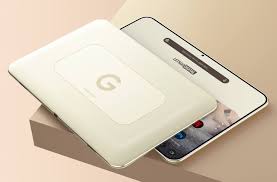
The Charging Speaker Dock is one of the Pixel Tablet’s most distinctive features. It turns the tablet into a smart display while keeping it powered. But Google designed it with battery longevity in mind, not just convenience. When you place the tablet on the dock, the system defaults to charging only to 90% – not 100%. Why? Lithium‑ion batteries age fastest when kept at full charge or drained to zero. The sweet spot for long life is between 20% and 80%. Since the Pixel Tablet may sit on the dock for hours or days at a time, Google’s engineers set the default limit to 90% as a safer, smarter default. If you know you will need a full charge before leaving the dock, you can override this by going to Settings > Battery and selecting “Charge to full.”
A Major Upgrade: The New 80% Charging Limit
In the December 2025 system update, Google introduced an even more protective option. As part of Android 16 QPR2, Pixel Tablet users can now set a hard limit of 80% for charging. This goes beyond the original 90% default and gives you finer control over how much stress you put on the battery. For users who keep their tablet docked most of the time – for example, as a kitchen assistant or a bedside smart display – limiting the charge to 80% can significantly slow down capacity loss. This update also fixed several bugs where the charging limit was being ignored, so the feature now works reliably.
Daily Habits That Preserve Battery Chemistry
Beyond the dock and the software limits, a few simple daily practices will help your Pixel Tablet battery stay healthy for years. Keep the tablet’s system and apps updated – each Android release typically includes power efficiency improvements and better battery management. Limit background app activity, especially for apps that constantly refresh content. Turn off Wi‑Fi when you truly don’t need it; some users report that disabling Wi‑Fi during long standby periods extends idle time from days to weeks. Finally, perform a full discharge and recharge cycle every two to three months. This recalibrates the battery’s charge meter, ensuring the percentage shown is accurate. It’s not about “training” the battery – modern lithium‑ion cells don’t need that – but it does help the software gauge remaining capacity correctly.
What About Occasional Full Charges?
You might wonder: is it harmful to charge to 100% every now and then? No. The occasional full charge won’t ruin your GQ6UU battery. The damage comes from prolonged exposure to high voltage (i.e., staying at 100% for days). If you take the tablet off the dock and use it portably for a few hours, letting it charge to full once in a while is perfectly fine. In fact, some users notice that after a full charge, the battery cycle counter might show a slight jump – for example, a brand new tablet showing 11 cycles after a few complete charges. This is normal behavior and not a sign of a defect. The counter is just doing its job.
The Bottom Line on Battery Longevity
By combining the charging dock’s default 90% charge limit (or the new 80% option) with good daily usage habits, you can easily extend your Pixel tablet’s battery life by two years or more. The hardware is reliable; the software is also constantly being updated and improved. Now that you understand how to protect your battery, the next step is to learn how to deal with various issues—from unexpected power drain to charging malfunctions. This is what we’ll be discussing in another blog post in this product series, please read:
→Battery Troubleshooting & System Updates: Bring Your Pixel Tablet Back to Life
Google G823-00345-01 GS35 – Battery GQ6UU 7020mAh
Buy Google Smartphone Battery online on Batteriesglobal.co.uk United Kingdom | Large selection of Google Batteries | Enjoy best prices | Order now!
Our brand-new Smartphone Battery compatible with Google GQ6UU is engineered to deliver long-lasting and stable performance. It is designed to meet rigorous standards, ensuring full compatibility with devices such as the Google G823-00345-01 GS35. This battery comes with a one-year warranty and has passed essential safety certifications including CE, RoHS, and ISO9001. Choose our Google GQ6UU battery for a power solution that combines quality, safety, and convenience. Invest in authentic performance and keep your Google G823-00345-01 GS35 running like new.