You know the feeling. You’re at your desk, smoothly swiping between spaces, pinching to zoom, and three‑finger flicking to launch Mission Control – all on your MacBook. Then you switch to a Windows laptop for work, and the touchpad experience suddenly feels like going from a sports car to a broken shopping trolley. Cursors lag, gestures don’t register, and what should be a quick task becomes a slow, clumsy ordeal. Add an iPad for reading, a Linux machine for coding, or an Android tablet for media, and you’re stuck relearning a different set of interactions every time you change device.
It doesn’t have to be this way. The Apple Magic Trackpad 2 Touchpad – with its generous glass surface, Force Touch technology, and precision engineering – was originally designed as the perfect companion for a Mac desktop. But today, a growing community of users has discovered how to turn it into a universal control hub. One trackpad. One set of gestures. Every device, from Windows to iPad, Linux to Android, feels instantly familiar.
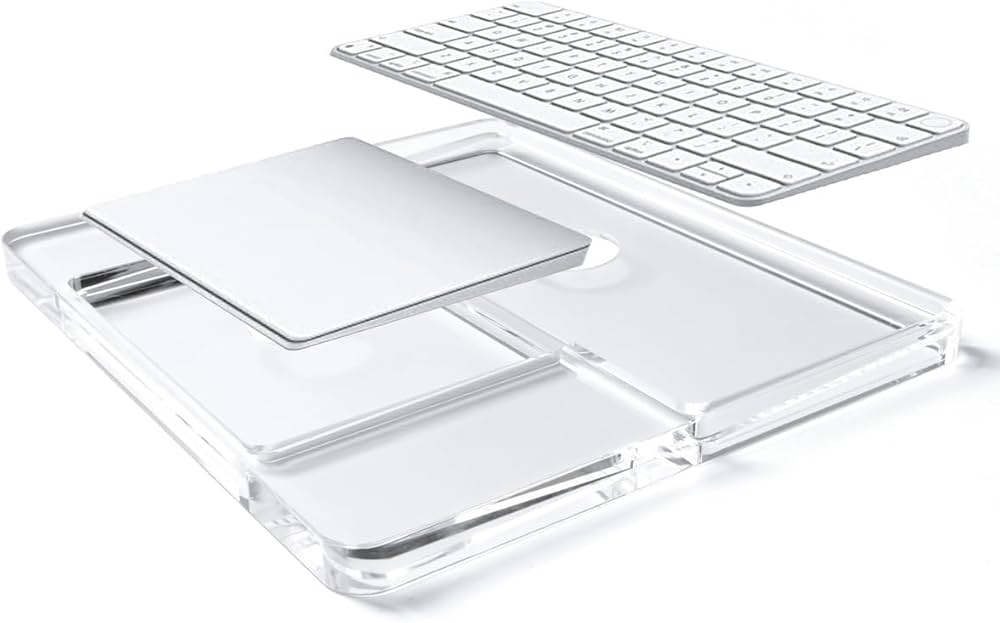
Giving Windows a True Mac‑Class Touchpad Experience
Many people first connect their Apple Magic Trackpad 2 Touchpad to a Windows PC only to be disappointed. Out of the box, Windows doesn’t speak the same language as Apple’s hardware. The trackpad works, but only in a basic, frustrating way: pointer movement feels laggy, multi‑finger gestures are hit‑or‑miss, and Force Touch is completely ignored. It becomes an expensive, oversized pointing stick.
The solution lies in an open‑source project called mac-precision-touchpad. This clever driver acts as a translator, converting the native protocol of the Apple Magic Trackpad 2 Touchpad into the Windows Precision Touchpad standard that Windows 10 and Windows 11 understand. Once installed, everything changes. The driver boosts the polling rate from a sluggish 60Hz to a responsive 120Hz, cutting input lag by more than half. Gesture recognition jumps from around 30% to an astonishing 99% for common actions like two‑finger scroll, pinch‑to‑zoom, three‑finger swipe, and four‑finger pinch to open Task View. Even pressure‑sensitive clicks become usable, giving you that satisfying tactile feedback.
One UI designer who made the switch told me, “Three‑finger swiping between Photoshop, Figma and Sketch feels completely natural now. Two‑finger zoom is precise and immediate. I can finally work the same way on my Windows workstation as I do on my MacBook.” For anyone who spends hours in creative applications, the Apple Magic Trackpad 2 Touchpad on Windows is nothing short of a revelation.
Beyond Windows – A Truly Cross‑Platform Trackpad
The real power of the Apple Magic Trackpad 2 Touchpad becomes clear when you look at the rest of your device ecosystem. It doesn’t stop at Windows.
On the iPad, the trackpad feels like it was always meant to be there. Simply go to Settings → Bluetooth, tap the trackpad’s name, and you’re paired. With iPadOS 26.5, the experience has become even smoother: when you connect via USB‑C, Bluetooth pairs automatically – unplug the cable and the trackpad stays wirelessly connected. No more fiddling with settings every time. All the gestures you love – two‑finger scroll, three‑finger swipe up for the app switcher, four‑finger pinch to return to the Home screen – work exactly as they do on a Mac.
The Linux community has also embraced the Apple Magic Trackpad 2 Touchpad. Kernel support was added as far back as Linux 5.0, and patches for the USB‑C revision have been steadily merged. The upcoming Linux 7.0 kernel will even fix battery reporting over USB‑C, making the experience nearly flawless. On Android, basic pairing over Bluetooth gives you point, tap, and scroll capabilities – more than enough for browsing or light office work.
What does this mean for you? The Apple Magic Trackpad 2 Touchpad is no longer just a Mac accessory. It’s the one input device that can follow you from your Windows work computer to your iPad on the sofa, to your Linux development machine, and even to your Android tablet. Learn the gestures once, and they work everywhere.
The Hidden Pain Points – And How to Fix Them
No cross‑platform solution is perfect, and the Apple Magic Trackpad 2 Touchpad has a few quirks that are worth knowing – and easily fixed.
Multi‑monitor cursor issues are the most common complaint. On a single screen, the mac-precision-touchpad driver is incredibly accurate, with cursor positioning errors below 1.3%. Add a second monitor, and that error rate can spike to over 12% – the cursor seems to “hit a wall” when trying to move between displays. The driver’s developers have responded with a smart boundary‑detection algorithm that smooths the transition, bringing the error rate back down. If you work with two or three screens, this is a lifesaver.
Bluetooth stability can also be a problem in crowded office environments. The Apple Magic Trackpad 2 Touchpad has an advertised range of about 10 metres, but interference from Wi‑Fi routers and other Bluetooth devices can cause stuttering. A simple fix: open Device Manager, find your Bluetooth adapter, go to Power Management, and uncheck “Allow the computer to turn off this device to save power.” Even better: plug in the trackpad via USB‑C. Wired mode is rock‑solid and reduces latency even further.
Battery life, on the other hand, is a genuine strength. A single charge typically lasts a month or more of normal use – far longer than most wireless mice. The mac-precision-touchpad settings app also shows you the exact battery percentage and can send an alert when it drops below 20%, so you’re never caught off guard in the middle of a project.
Who Should Actually Buy This Trackpad?
The Apple Magic Trackpad 2 Touchpad isn’t cheap. It sits in the same price bracket as premium mice like the Logitech MX Master 3S. Is it worth the investment? For the right user, absolutely.
- Multi‑device professionals – If you regularly switch between a Mac at home, a Windows PC at the office, and an iPad on the road, the value of a single, consistent input method is huge. You stop thinking about the tool and focus on your work.
- Creative workers – Designers, video editors, and front‑end developers who rely on zooming, rotating, panning, and quick app switching will find the Apple Magic Trackpad 2 Touchpad far more fluid than any mouse. Gestures become muscle memory, speeding up every part of your workflow.
- Desktop Mac users – If your Mac is often connected to an external monitor and you use a separate keyboard, this trackpad completes the experience. It’s the missing piece that makes your desktop feel as responsive as a MacBook.
On the other hand, if you’re a competitive gamer, you’ll miss the pinpoint accuracy and programmable buttons of a gaming mouse. If you prefer a palm‑rest grip, you may want to buy a third‑party wrist rest. And if you don’t enjoy tinkering with drivers or connecting via USB‑C, a standard mouse might be a simpler choice.
The Apple Magic Trackpad 2 Touchpad was never meant to be a cross‑platform device – but thanks to brilliant open‑source development, it has become one. With the right driver on Windows, seamless pairing on iPad, solid kernel support on Linux, and basic functionality on Android, it offers something almost no other input device can: a truly unified gesture vocabulary across every screen in your life.
If you’re tired of relearning how to scroll, swipe, and zoom every time you switch devices, the Apple Magic Trackpad 2 Touchpad might just be the most underrated tool in your digital workspace. One trackpad. Every device. The same familiar feel, everywhere.
Apple Magic Trackpad 2 Touchpad – Battery A1542 2024mAh
Buy Apple Consumer Electronics Battery online on Batteriesglobal.co.uk United Kingdom | Large selection of Apple Batteries | Enjoy best prices | Order now!
Our brand-new Consumer Electronics Battery compatible with Apple A1542 is engineered to deliver long-lasting and stable performance. It is designed to meet rigorous standards, ensuring full compatibility with devices such as the Apple Magic Trackpad 2 Touchpad. This battery comes with a one-year warranty and has passed essential safety certifications including CE, RoHS, and ISO9001. Choose our Apple A1542 battery for a power solution that combines quality, safety, and convenience. Invest in authentic performance and keep your Apple Magic Trackpad 2 Touchpad running like new.